
Why HDR Sometimes Looks Terrible and What I Discovered
Understanding Picture Quality and HDR
Picture quality is a crucial aspect of any display, whether it's a TV or a monitor. For many people, the term "HDR" might not mean much, but it plays a significant role in enhancing visual experiences. HDR10, for instance, is a standard that offers an improved viewing experience over Standard Dynamic Range (SDR). Most modern 4K TVs support HDR10, which means users can enjoy enhanced color and brightness without needing to do anything special.
Dolby Vision is another format that takes things a step further. However, this requires specific hardware, typically found in more expensive TVs. While Dolby Vision offers better performance, HDR10 remains a solid choice for many. The difference between the two may not be immediately noticeable unless viewed side by side, especially on high-quality screens.
The Challenges with Monitors
While HDR has made its way into TVs, the situation is different when it comes to monitors. Gaming benefits greatly from good HDR, but achieving it on a PC often means investing in a higher-end monitor. Budget-friendly options frequently fall short, offering subpar HDR performance that can be disappointing.
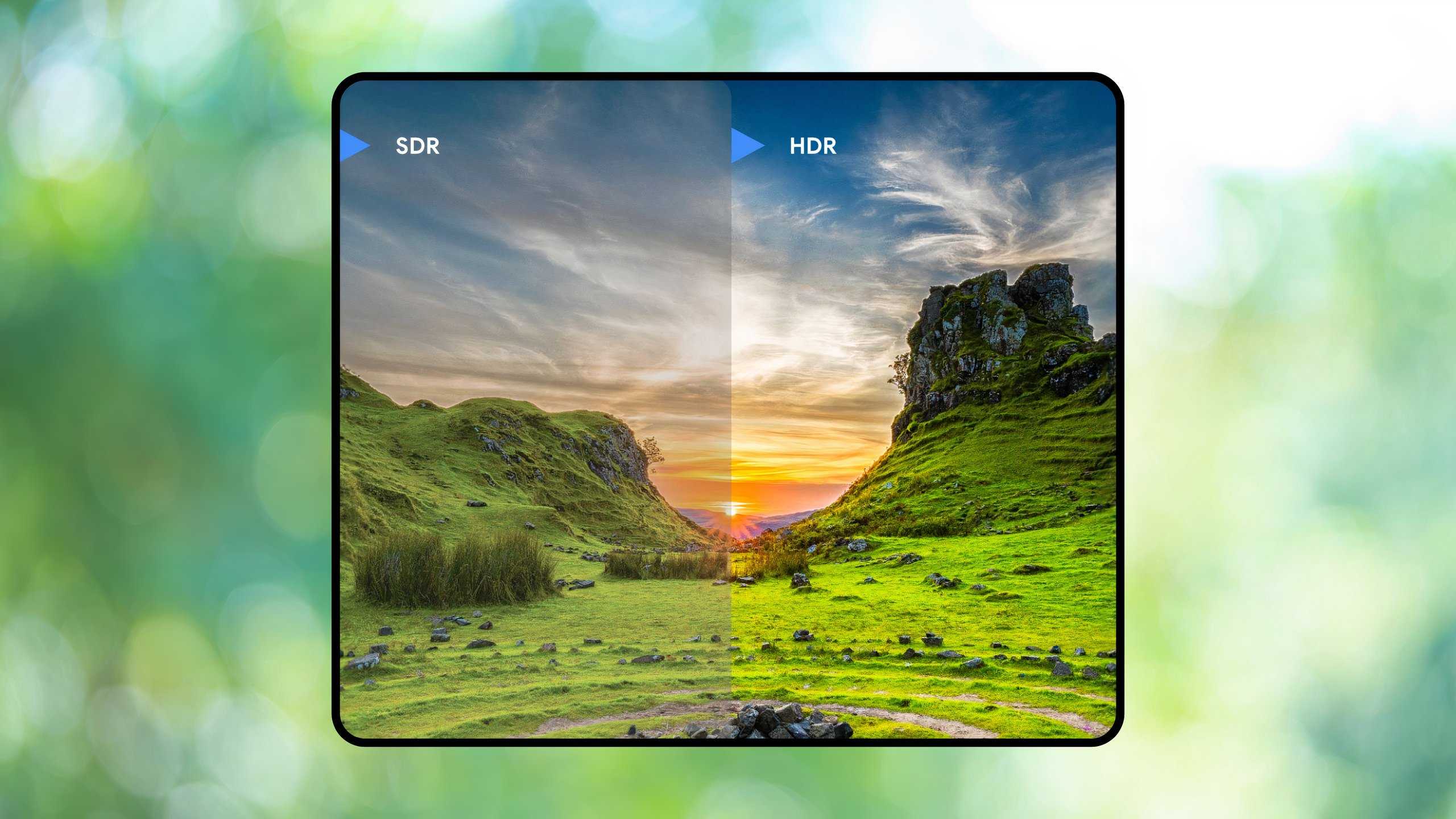
Not all HDR implementations are created equal. In some cases, even monitors labeled as HDR-capable may not deliver the expected results. For example, the HP X34 ultrawide monitor, while offering great screen real estate, suffers from poor HDR performance. Despite being equipped with HDR400, the local dimming is so inadequate that it fails to enhance the gaming experience. This leads to washed-out visuals that are far from ideal.
The Importance of Research
When purchasing a monitor, it's essential to do your research. Not all HDR standards are equal, and understanding what you're getting is crucial. HDR400, for instance, is at the lower end of the spectrum, while HDR600 and HDR1000 offer better performance. However, achieving HDR1000 often comes with a steep price tag.

Instead of focusing solely on HDR, consider other technologies like OLED or Mini-LED screens. These technologies provide true blacks and vibrant colors, which are essential for HDR to shine. OLED, in particular, is known for its superior contrast ratios and is often recommended for the best picture quality. The Switch 2's decision to move away from OLED was met with disappointment, highlighting the importance of such features.
Making Informed Decisions
It's easy to be misled by marketing claims, but taking the time to research before purchasing can save you from potential disappointments. I learned this the hard way when I bought a monitor without considering its HDR capabilities. While I love the ultrawide display, the poor HDR performance was a letdown. If I had done more research, I would have been aware of these limitations.
In summary, while HDR can enhance your viewing experience, it's important to approach it with realistic expectations. Whether you're looking for a TV or a monitor, understanding the technology and doing your homework can make all the difference. Always prioritize your needs and ensure that the product you choose aligns with your expectations.
Posting Komentar untuk "Why HDR Sometimes Looks Terrible and What I Discovered"
Please Leave a wise comment, Thank you