
4 Habits Killing Your Phone's Battery Life
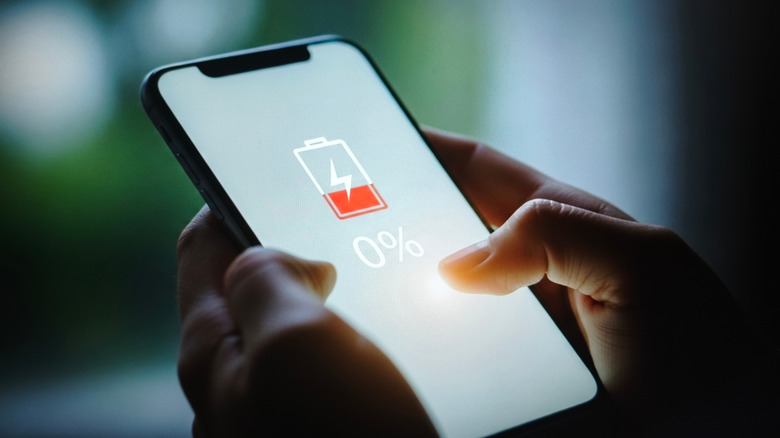
Battery drain is a significant concern if you don't manage your smartphone usage effectively. The more frequently you use your device, the more charging and discharging cycles it undergoes, which can lead to faster battery degradation over time. Many apps are designed to consume a lot of power, especially those that require access to sensitive features like location tracking or constant data updates. Even simple actions, such as checking the Always On Display, can contribute to battery drain because they involve powering up the screen.
Every action you take on your phone—whether it's opening an app, receiving a notification, or even just looking at the screen—uses energy. Some habits, however, are worse than others when it comes to battery life. Leaving apps open in the background, enabling unnecessary notifications, or failing to restrict app permissions can all accelerate battery depletion.
Enabling Push Notifications for Every App

Push notifications are one of the most common sources of battery drain. These alerts can wake your device from sleep mode, keep apps running in the background to update their content, and even trigger sounds or vibrations that consume additional power. While this might not be a big issue with a small number of apps, it becomes problematic when you have many third-party applications installed. Each of these apps may be constantly updating, syncing data, or checking for new content, which increases overall power consumption.
Social media apps are particularly notorious for sending excessive notifications. You might receive alerts for likes, follows, or changes to your timeline, which can quickly become overwhelming. This constant stream of notifications often leads to the temptation to check the app repeatedly, further draining your battery. Disabling or limiting push notifications for non-essential apps can significantly improve battery life.
Switching Between Apps and Leaving Them in the Background

Switching between apps can also impact battery life. When you move from one application to another, your phone’s CPU and GPU must work harder to close the current app and load the next one. This process requires energy, especially if you frequently switch between multiple apps.
Leaving apps in the background isn’t necessarily bad, but actively switching between them can be. Android and iOS have built-in features like Doze mode and Power mode that help reduce background activity by restricting how much power apps can use when they’re not in focus. However, having too many apps suspended in the background can tempt you to reopen them, which again uses more battery. Closing inactive apps can help reduce unnecessary screen time and conserve power.
Giving Free Rein to Apps for Background Usage

Some apps run in the background even when you're not using them. This is especially true for location-based services, such as maps or ride-sharing apps, which continuously track your position. GPS usage alone can be a major battery drain. Additionally, any app that requests hardware permissions, such as access to your camera or microphone, or that syncs data in the background, can contribute to power consumption.
Even features like Bluetooth and 5G connectivity can affect battery life. While maintaining a connection doesn’t always drain the battery, constant scanning or data transfers can. Cloud storage and backup services that automatically upload files in the background are another example of apps that may consume power unnecessarily. Disabling background activity for non-essential apps can help preserve battery life.
Gaming Continuously on Your Phone

Playing games on your phone, even casual ones like "Candy Crush," can significantly drain your battery. These games require active use of the CPU, GPU, and screen, which all consume power. More demanding games, such as "Wuthering Waves" or "Call of Duty: Warzone Mobile," will drain the battery even faster due to higher processing requirements.
In addition to the hardware demands, gaming also involves haptic feedback and audio cues, which add to the power consumption. Some phones, like the Redmagic 10S Pro, are designed with performance modes that prioritize graphics and frame rates over battery efficiency. If you're concerned about battery life, consider limiting gaming sessions or using power-saving modes when playing.
Posting Komentar untuk "4 Habits Killing Your Phone's Battery Life"
Please Leave a wise comment, Thank you